

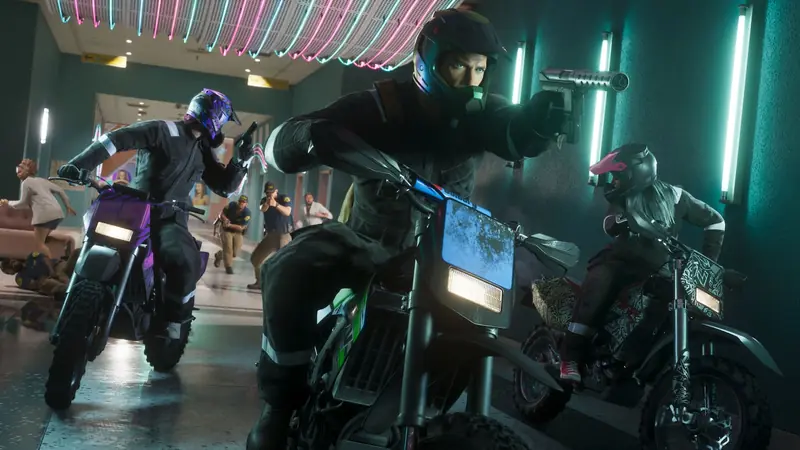
No game this big ships clean. Here are the bugs players are hitting in GTA 6 and what fixes them
 BoostBase GTA 6 Team
GTA 6 Bugs and Glitches Quick Overview:
- GTA 6 launched in good shape, but players report a few bugs: PS5 crashes with error CE-108255-1, a softlock in the Chapter 1 mission Coming Home on Xbox Series S, menus that get stuck at the wardrobe or gun shop, and a disguise that does not register in Unwanted Attention
- Turning off HDR and 120Hz fixes most crashes for players
- A money glitch that skips the cooldown on selling loot is going around, and it may be patched
Does GTA 6 have bugs?
Some. The issues below come from player reports gathered by trackers and confirmed by more than one player. Rockstar had not posted patch notes for a title update when we wrote this
Known GTA 6 bugs and fixes
| Bug | Console | What players do |
|---|---|---|
| Crash to home screen, error CE-108255-1 | PS5 | Turn off HDR and 120Hz, set the console to 1080p |
| Crash in the Prologue | PS5 and Xbox | Same fix as above |
| Crash seconds after launch, CE-108262-9 | PS5 | No fix yet. Reinstalling has not helped |
| Coming Home pool game freezes | Xbox Series S | Move to a different spot around the table |
| Disguise not working in Unwanted Attention | PS5 and Xbox | No fix listed yet |
| Stuck in the wardrobe, gun shop or loadout menu | PS5 and Xbox | No fix yet. Reload the last save |
| LT and RT lifting does nothing at the gym | PS5 and Xbox | No fix yet |
| Planes slide through buildings | PS5 and Xbox | Turn off Reduced Vehicle Damage |
| Lucia’s bag strap stuck on her shoulder | Xbox | No fix listed yet |
| Missing textures in the intro | PS5 and Xbox | No fix listed yet |
These come from players, not Rockstar, and one tracker notes that no bug was confirmed by Rockstar at the time. Where a fix is listed, it is what worked for players
How to fix GTA 6 crashing
- Install the latest update. Check for an update on the game tile
- Turn off HDR and 120Hz. In the console’s video settings
- Set the output to 1080p. Players report it stops CE-108255-1
- Keep a manual save. A crash then costs minutes, not an hour, as our save guide explains
GTA 6 money glitch
Players found a way to skip the cooldown on selling loot to a fence, so you can sell bag after bag without waiting. Guides tie it to a red warehouse east of Hamlet in Vice-Dale County. It still worked when the first guides tested it, and they expect Rockstar to patch it. Two warnings: do it after Chapter 1, because your money is reset at the end of the chapter, and some players skip it because it takes the fun out of the scores. Our money guide has the methods that will not be patched
Can you get banned for glitches in GTA 6?
GTA 6 is a story game for now, with no online mode, so guides see no ban risk from story glitches. Rockstar did patch and punish money glitches in GTA Online, so do not expect any glitch to carry over if an online mode arrives. Our online guide covers what is known
Funny GTA 6 glitches
Beyond the bugs, players share physics moments: planes sliding through walls, people stuck in odd poses and cars launched by small bumps. For the secrets Rockstar put in on purpose, see our easter eggs guide
Mission Carry
The mission you are stuck on · Story or side missions · One mission or a run of them
Frequently asked questions
Does GTA 6 have bugs?
A few, mostly PS5 crashes and some stuck missions and menus
How do I fix GTA 6 crashing on PS5?
Turn off HDR and 120Hz and set the output to 1080p
Is there a money glitch in GTA 6?
Yes, one skips the cooldown on selling loot. It may be patched
Can you get banned for glitches in GTA 6?
Not in the story. There is no online mode yet
Has GTA 6 had a patch?
A small day one patch. No title update notes had been posted when we wrote this
GTA 6 came out on November 19, 2026, and the guide sites are still checking it against the game, so every number here was compared across at least two sources and the majority wins where they disagree